First, try to fix it with paint.
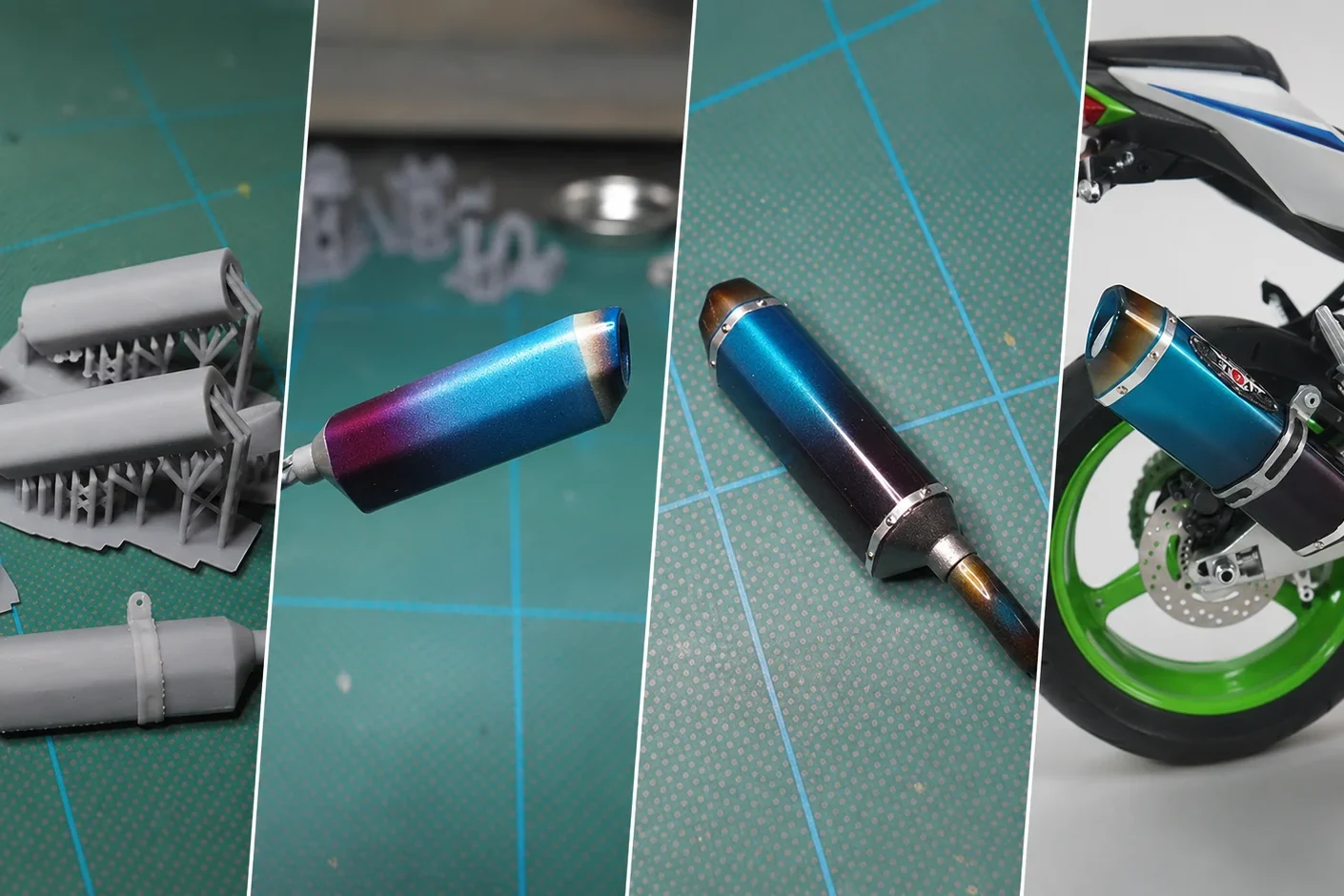
The kit chrome would not strip even with bleach, so it was sanded away and the surface rebuilt from the primer up. Heat colors were layered over bright silver to move the finish closer to the real titanium exhaust.
 UPDATED 2026.10.24
Repainting the kit exhaust was not enough to capture the real bike’s shape and heat discoloration. Using reference photos, real-bike measurements, and official images, I redesigned the exhaust in CAD and refined it through roughly ten prototypes and paint tests for a 1/9 model.
01 / START
The kit chrome would not strip even with bleach, so it was sanded away and the surface rebuilt from the primer up. Heat colors were layered over bright silver to move the finish closer to the real titanium exhaust.
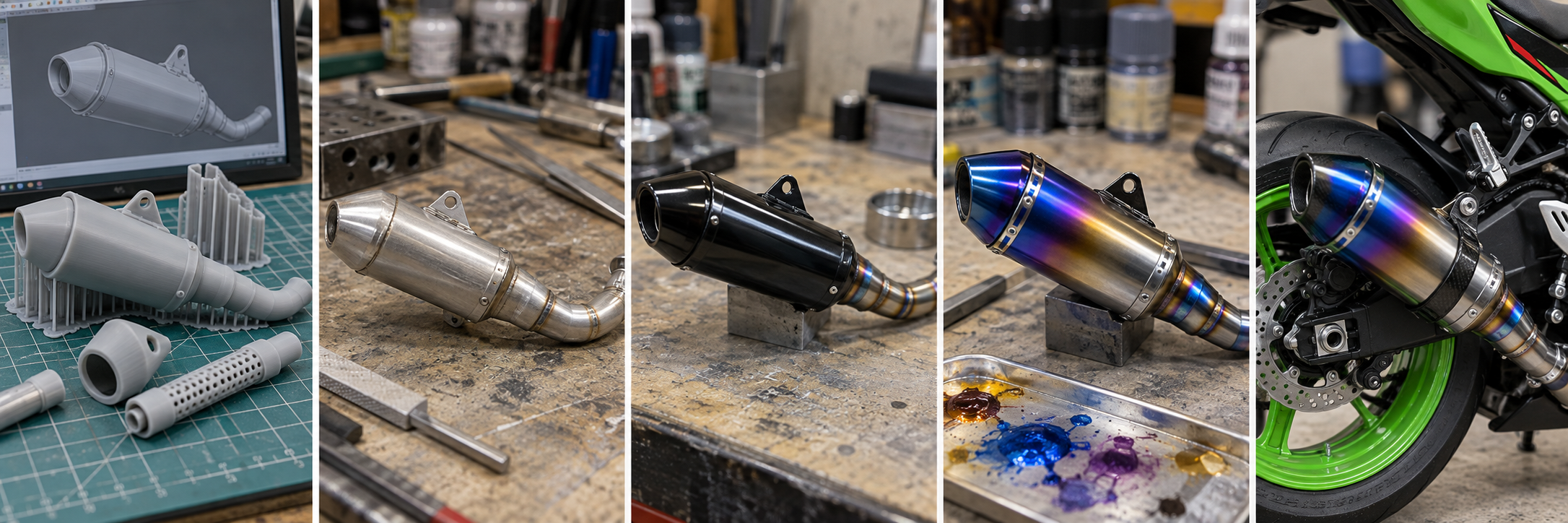
The exhaust was modeled in CAD from photos and measurements supplied by the owner. Model-scale thickness, paint build, and sanding access were considered, and the bands and brackets were separated into individual parts.
02 / PROCESS
Compare real-bike photos, measurements, and official images to identify the key dimensions and visual features.
Build the geometry so the measurements remain consistent while also checking how the shape reads at model scale.
Check printing, test fit, sanding access, and paint thickness through roughly ten prototype iterations.
Make the front and rear bands and bracket separate pieces so surface preparation and painting remain practical.
Spray yellow, red, blue, and transparent clear in sequence to build a heat-stain gradient without killing the gloss.
The CAD work and the surface-finishing work were treated as separate problems. The prototypes were not only about dimensions; they also checked whether the part could be sanded, painted, assembled, and still look right on the model.
03 / FINDINGS
The gloss black and clear base had to be made very smooth, then the bright metallic layer built up gradually in small amounts.
The narrower the heat-color boundary was sprayed, the more easily the surface lost gloss. Alternating color and transparent clear helped preserve the finish.
With a one-piece print, paint built up too heavily around the bands. Considering sanding and painting access, separating the parts was the more practical solution.
04 / ARTICLES
The main article covering CAD design, prototype iterations, part separation, metallic finishing, and heat-stain painting.
The earlier attempt: sand away the chrome that would not strip and test a heat-stained finish on the kit exhaust.
See the custom exhaust installed on the bike, including the outlet mesh and finished heat-stain effect.
A model part is not finished simply because it can be printed to the design dimensions. It also has to be sanded, painted, assembled, and installed. This exhaust became a practical example of using CAD and 3D printing as part of ordinary model-making work.