299 MODEL WORKS JP
299 MODEL WORKS / TOOL DIRECTORYBLENDER ADD-ONS / PERSONAL DEVELOPMENT
CURRENT COLLECTION / 2026

299 Toolsfor Blender

These Blender add-ons were made to reduce the repetitive work that kept slowing me down when handling AI-generated models and data for 3D printing. I use them in real scale-model projects, fix what gets in the way, and add functions when a practical need appears.

CURRENT TOOL COUNT 13

This page currently lists 13 Blender add-ons used in actual model-making work: figure scaling, thickness checks, open-boundary handling, high-density mesh selection, cutting helpers, booleans, and local shape repair.

DISTRIBUTION

The add-ons are not distributed yet.

Everything shown here is still being adjusted while I use it in my own production environment. Names, controls, and specifications may change. Stable tools will be prepared for public release where possible, but there is no release schedule yet.

NO DOWNLOAD YET
STATUS IN USEUsed regularly in current projects FIELD TESTINGBeing tested on real data EVALUATINGTarget geometry and behavior still under review
A

SCALE / POSE

Scale & Pose

03
01 IN USE
Blender screenshot

FIGURE SCALE CONVERTER

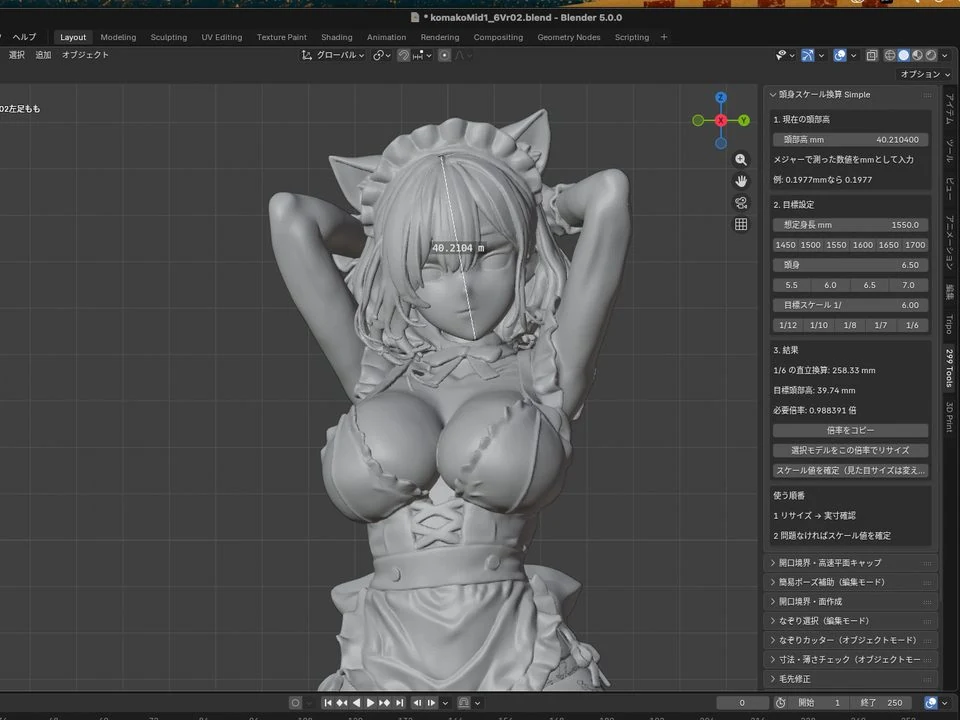
Figure Scale Converter

A conversion tool for organizing target height, scale, and print size from an AI-generated figure’s head height and body proportions.

WHAT IT DOES
Use head height, body-proportion count, intended full-scale height, and scale to calculate the target model size and resize factor.
WHEN TO USE IT
Useful when resizing generated character models to 1/12, 1/24, 1/48, and similar scales, or when comparing figures with different proportions.
FIGURESCALERESIZE
BUILD LOGTO BE ADDED
02 IN USE
Blender screenshot

299 AUTO PIVOT

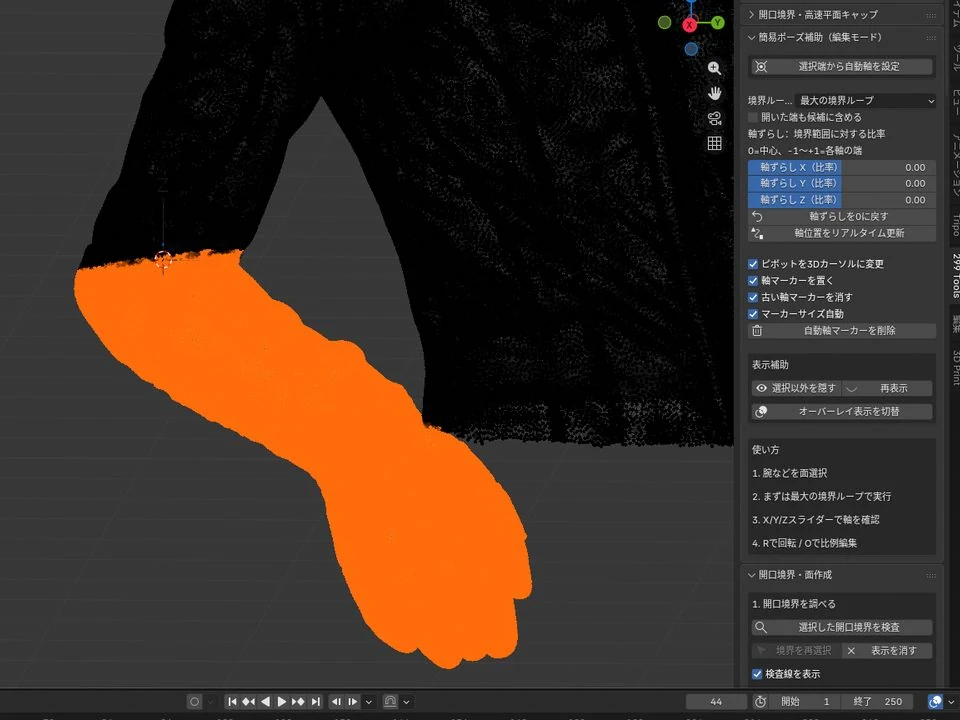
Simple Pose Helper

A pose-adjustment helper that derives a reference position near a joint from the selected arm, leg, or other region so a useful rotation pivot is easier to place.

WHAT IT DOES
Places the 3D Cursor and pivot from the boundary of the current selection, with fine position adjustment along X, Y, and Z.
WHEN TO USE IT
For small pose changes such as lowering an arm or changing a wrist angle without building a full armature.
PIVOTPOSEFIGURE
BUILD LOGTO BE ADDED
03 IN USE

299 SCALE CHECKER

Dimension & Thickness Check

An inspection tool for checking not only overall dimensions before 3D printing, but also thin regions, narrow gaps, fine edges, and fragile tips.

WHAT IT DOES
Displays model dimensions and scale, groups risk areas by type, and lets you move through them, exclude them, or mark them for repair.
WHEN TO USE IT
Useful for finding hair tips, straps, clothing edges, and other features that look fine on screen but may disappear or break during printing.
DIMENSIONTHICKNESS3D PRINT
BUILD LOGTO BE ADDED
B

BOUNDARY / FILL

Open Boundaries & Face Creation

04
04 IN USE
Blender screenshot

FAST PLANAR CAP

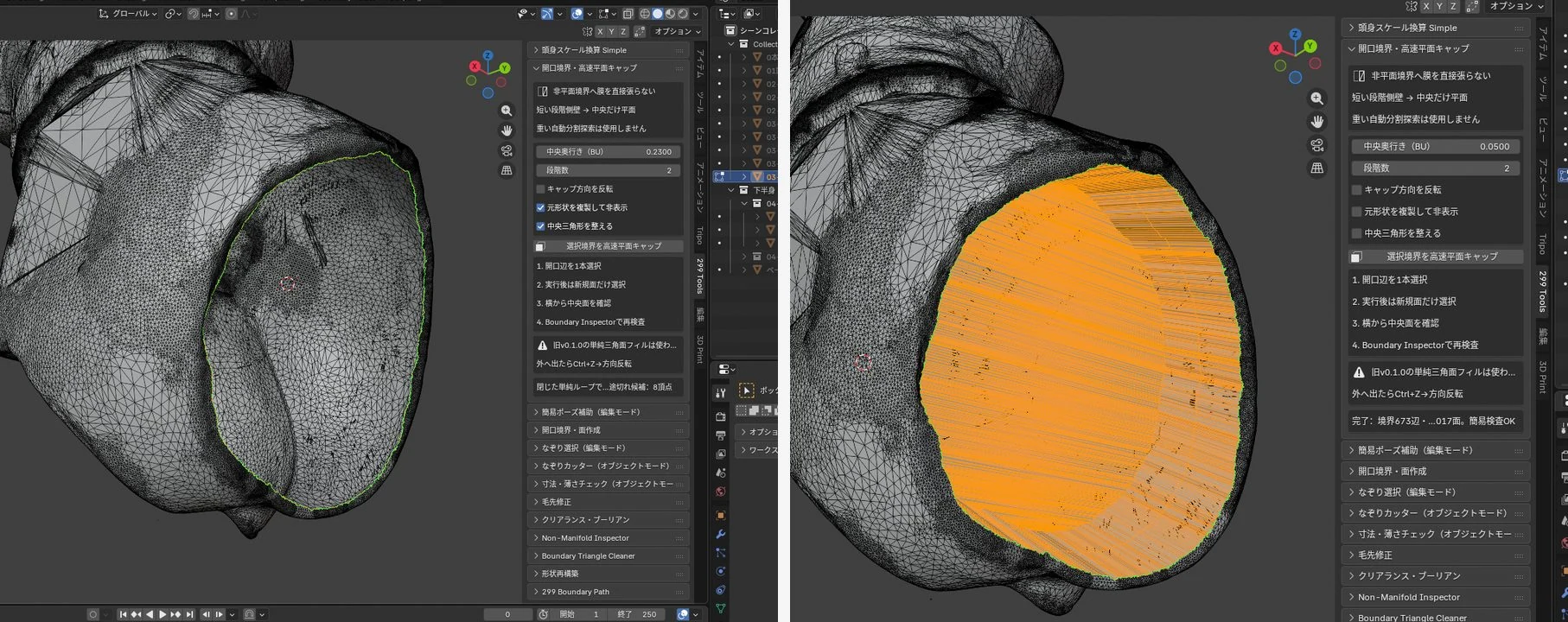
Fast Planar Cap for Open Boundaries

A fast fill tool for closing nearly planar open boundaries created after cutting or separating a mesh.

WHAT IT DOES
Detects the selected open boundary and creates a planar cap with a method designed to stay responsive on dense meshes.
WHEN TO USE IT
For closing figure split surfaces and part cuts with a flat cap while preserving the surrounding shape.
BOUNDARYCAPFAST FILL
BUILD LOGTO BE ADDED
05 IN USE
Blender screenshot

BOUNDARY FACE BUILDER

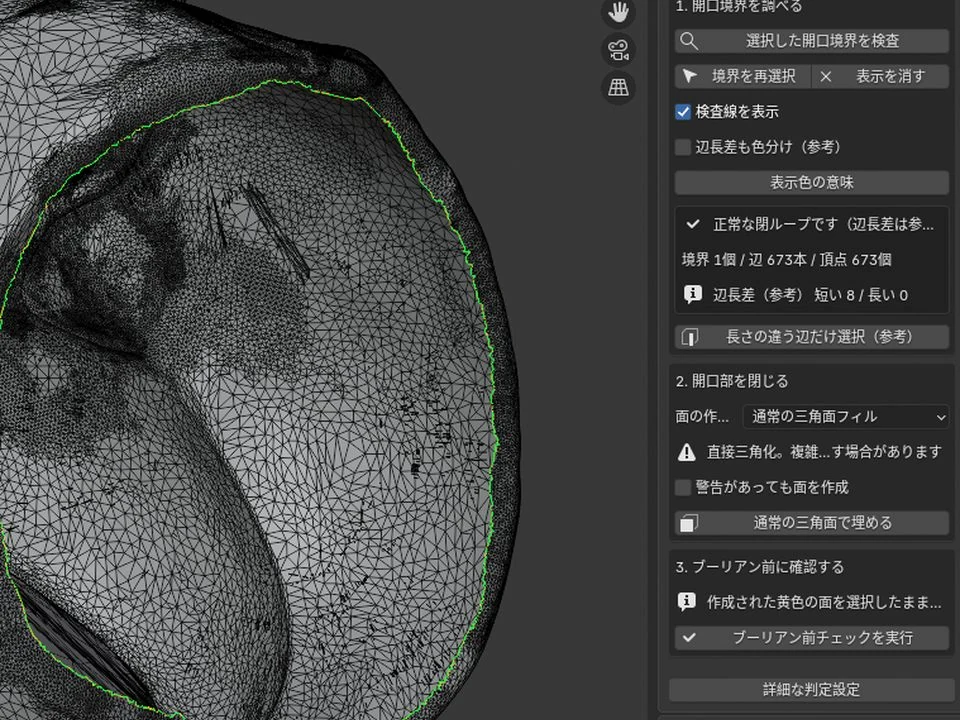
Open Boundary Face Builder

A boundary-work tool for finding open edges on a model and creating faces while checking the target outline.

WHAT IT DOES
Steps through multiple openings, aligns the view to the boundary you want to work on, and makes selection and face creation easier.
WHEN TO USE IT
Useful for finding holes in AI-generated meshes or closing complex openings left after part separation one at a time.
OPEN EDGEFACEBOUNDARY
BUILD LOGTO BE ADDED
06 IN USE
Blender screenshot

299 BOUNDARY PATH

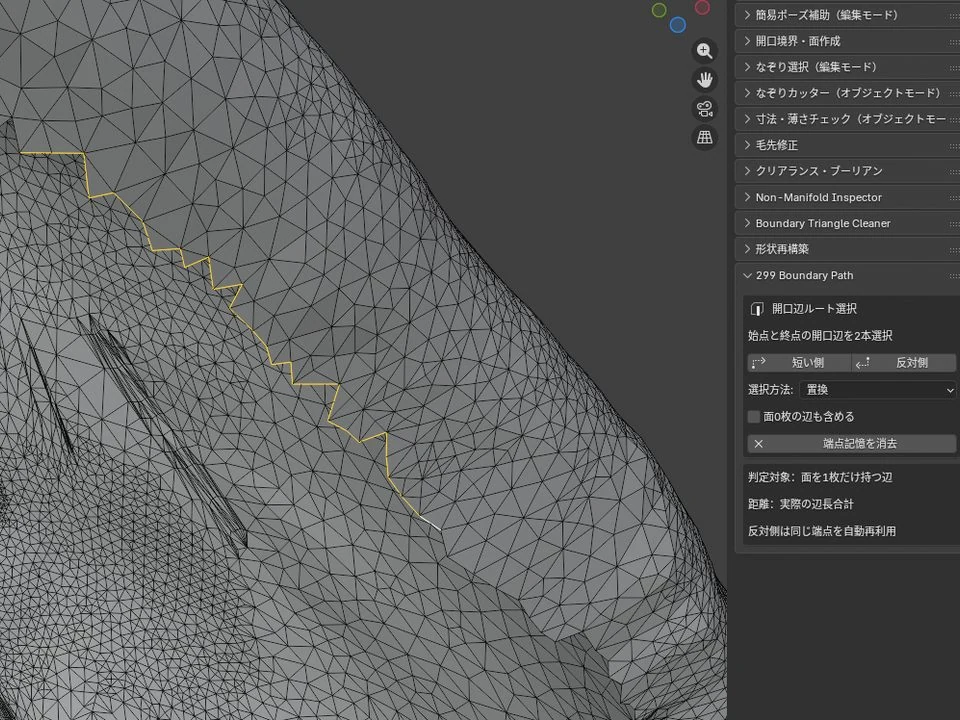
299 Boundary Path

A path-selection tool that connects two open edges while staying strictly on the open boundary instead of wandering through interior edges.

WHAT IT DOES
Between two specified edges, you can switch between the shorter boundary route and the opposite route.
WHEN TO USE IT
For isolating only part of an opening, especially when Blender’s normal shortest-path selection cuts through the interior of the model.
EDGE PATHBOUNDARYSELECT
BUILD LOGTO BE ADDED
07 FIELD TESTING
Blender screenshot

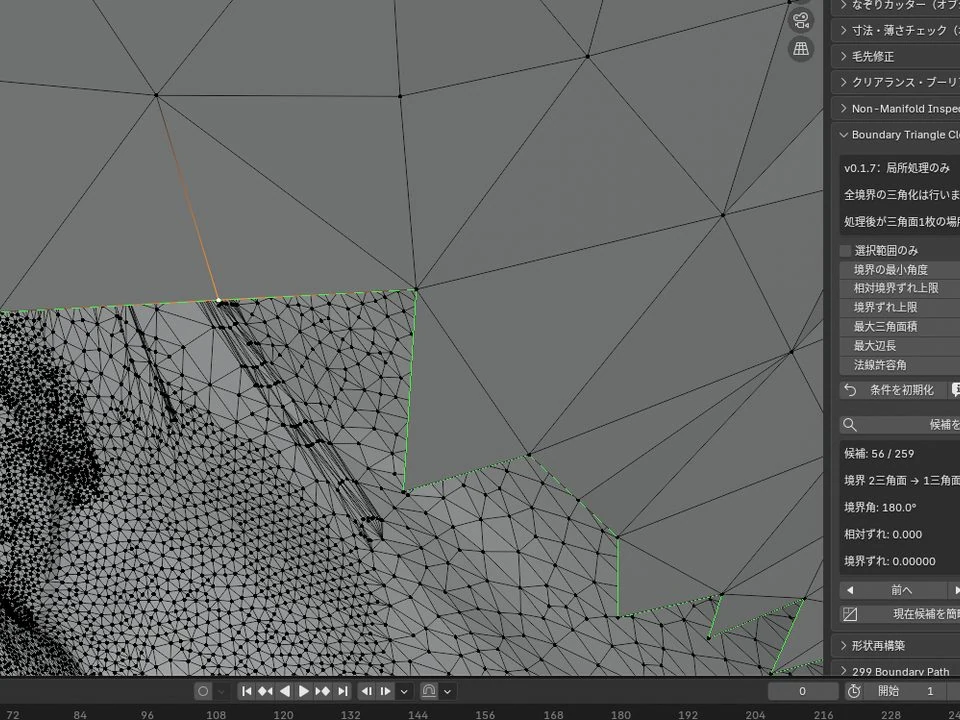
299 BOUNDARY TRIANGLE CLEANER

Boundary Triangle Cleaner

A local cleanup tool for removing unnecessary triangles and vertices near open boundaries when they have little effect on the intended shape.

WHAT IT DOES
Only candidates that meet conservative safety conditions are selected, reducing triangles without easily damaging the boundary.
WHEN TO USE IT
Useful when a filled or cut boundary is crowded with tiny triangles that make the next selection or repair step difficult.
TRIANGLECLEANUPBOUNDARY
BUILD LOGTO BE ADDED
C

TRACE / SELECT / CUT

Trace Selection & Cutting

03
08 IN USE
Blender screenshot

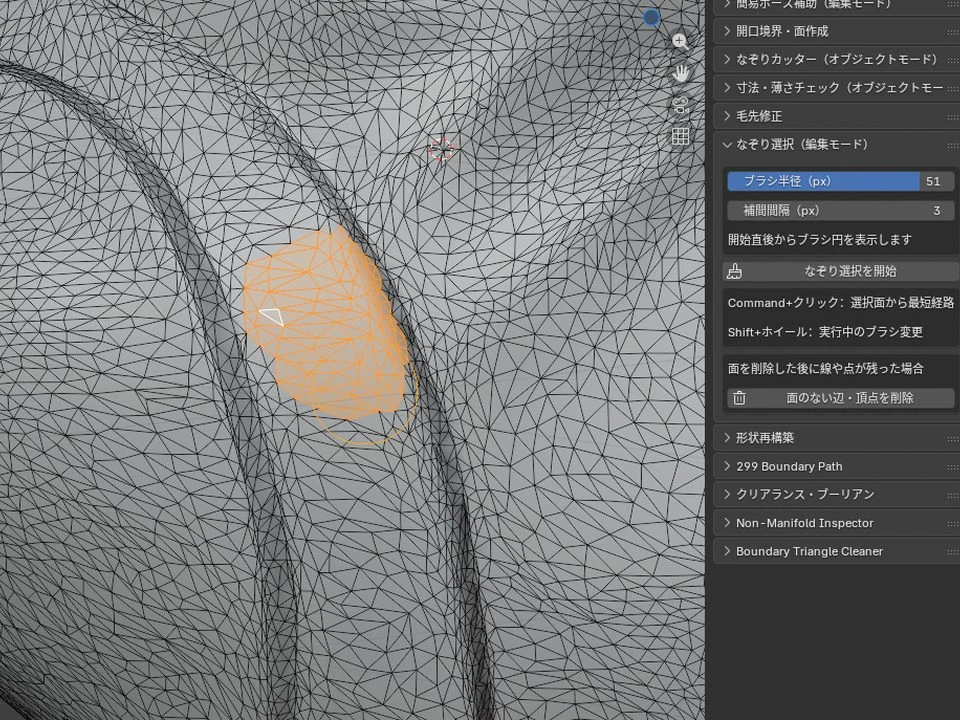
299 LASSO SELECT

Trace Select

A selection tool for brushing across a dense mesh and adding or removing only faces connected to the current selection.

WHAT IT DOES
Collects faces touched by the brush circle and expands through connected geometry while reducing missed micro-triangles.
WHEN TO USE IT
Useful for manually separating irregular regions such as hair, clothing, and skin on AI-generated figures.
LASSOCONNECTEDHIGH POLY
BUILD LOGTO BE ADDED
09 TRIAL USE
Blender screenshot

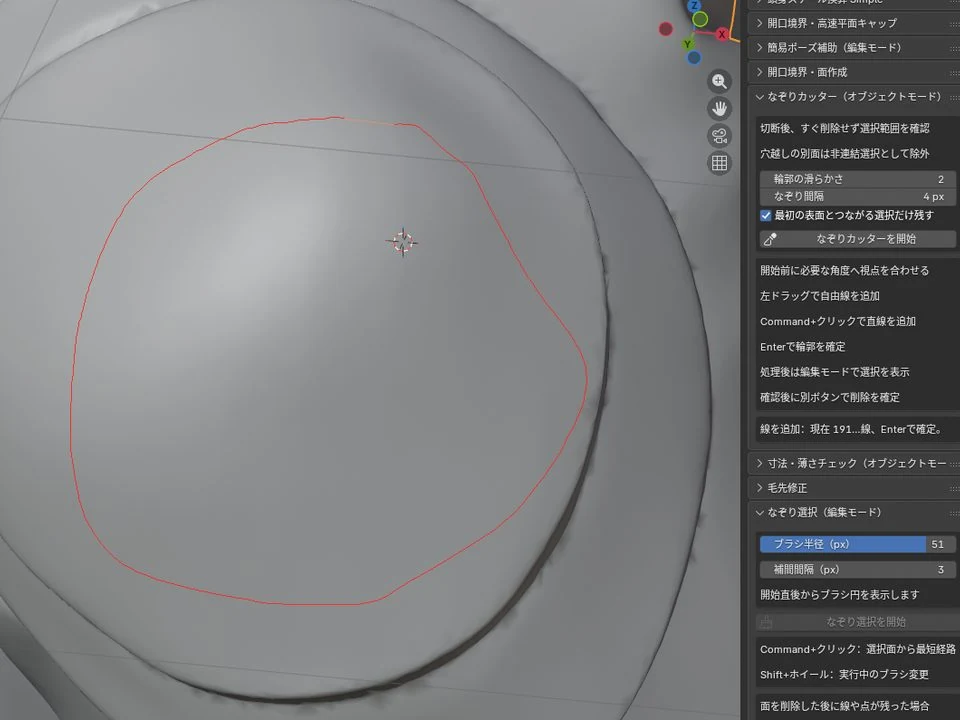
TRACE CUTTER

Trace Cutter

A helper that turns a line drawn while viewing the model surface into cutter geometry for local separation work.

WHAT IT DOES
Trace the boundary you want on screen and convert that line into a form that can be used for cutting.
WHEN TO USE IT
For separating parts along complex boundaries such as hair against a face or clothing against skin, where a straight or planar cut will not work.
TRACECUTTERSEPARATE
BUILD LOGTO BE ADDED
10 IN USE

299 CLEARANCE BOOLEAN

Clearance Boolean

A boolean tool that creates a controlled clearance so separated parts do not fit together with zero tolerance.

WHAT IT DOES
Builds a cutter from selected faces or another object, then runs the boolean with adjustable normal and lateral offsets.
WHEN TO USE IT
For adding assembly clearance to hair, arms, torsos, and other printed parts while allowing for paint thickness and print tolerances.
BOOLEANCLEARANCEPARTS
BUILD LOGTO BE ADDED
D

REPAIR / REBUILD

Shape Repair & Rebuild

03
11 IN USE

299 HAIR TIP FIXER

Hair Tip Fixer

A tool for tapering swollen or rounded hair tips on AI-generated figures while preserving the root-side shape.

WHAT IT DOES
Analyzes the thickness flow of the selected hair tip and progressively narrows the tip while keeping the root fixed.
WHEN TO USE IT
Useful for quickly correcting hair that narrows and then thickens again, or ends in a rounded blob.
HAIRTAPERFIGURE
BUILD LOGTO BE ADDED
12 EVALUATING

CYLINDER / SPHERE REBUILDER

Shape Rebuilder

A rebuilding tool for replacing distorted cylindrical, circular, or spherical regions with cleaner reference geometry.

WHAT IT DOES
Recreates the target region as a cylinder or sphere at the needed resolution, providing clean base geometry that can be fitted back to the original form.
WHEN TO USE IT
Useful for shafts, cylinders, small spherical details, and other mechanical forms that are faster to rebuild from primitives than to even out by sculpting.
REBUILDCYLINDERSPHERE
BUILD LOGTO BE ADDED
13 IN USE
Blender screenshot

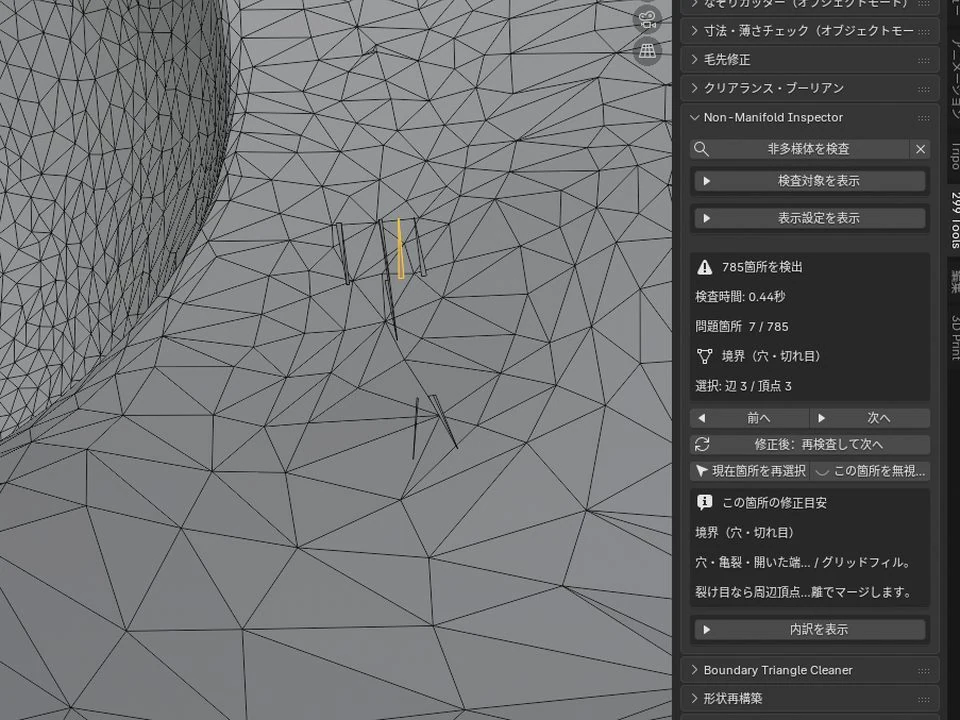
299 NON-MANIFOLD INSPECTOR

Non-Manifold Inspector

An inspection tool that groups non-manifold problem areas and lets you move through them in sequence while repairing and rechecking.

WHAT IT DOES
Aligns the view to each problem area and supports previous/next navigation, reinspection after repair, and exclusion of resolved locations.
WHEN TO USE IT
Useful when a print model contains many non-manifold areas and Blender’s standard select-all approach makes it hard to track locations and repair status.
NON-MANIFOLDINSPECTRECHECK
BUILD LOGTO BE ADDED

USAGE ARTICLES / SCREENSHOTS

Screenshots are being added as they become available.

For now, the page shows screenshots for the add-ons whose real Blender views are ready. The remaining tools will be updated as real-use screenshots become available, and build-log links will be added to each card after publication.

BACK TO 299 MODEL WORKS →